Request SSL Certificate
In this step, we will request a public SSL/TLS certificate from AWS Certificate Manager (ACM) to enable HTTPS for our domain. This certificate will be used by CloudFront in the next step.
ACM certificates used with CloudFront must be requested in the N. Virginia (us-east-1) region. Make sure you are in us-east-1 before proceeding.
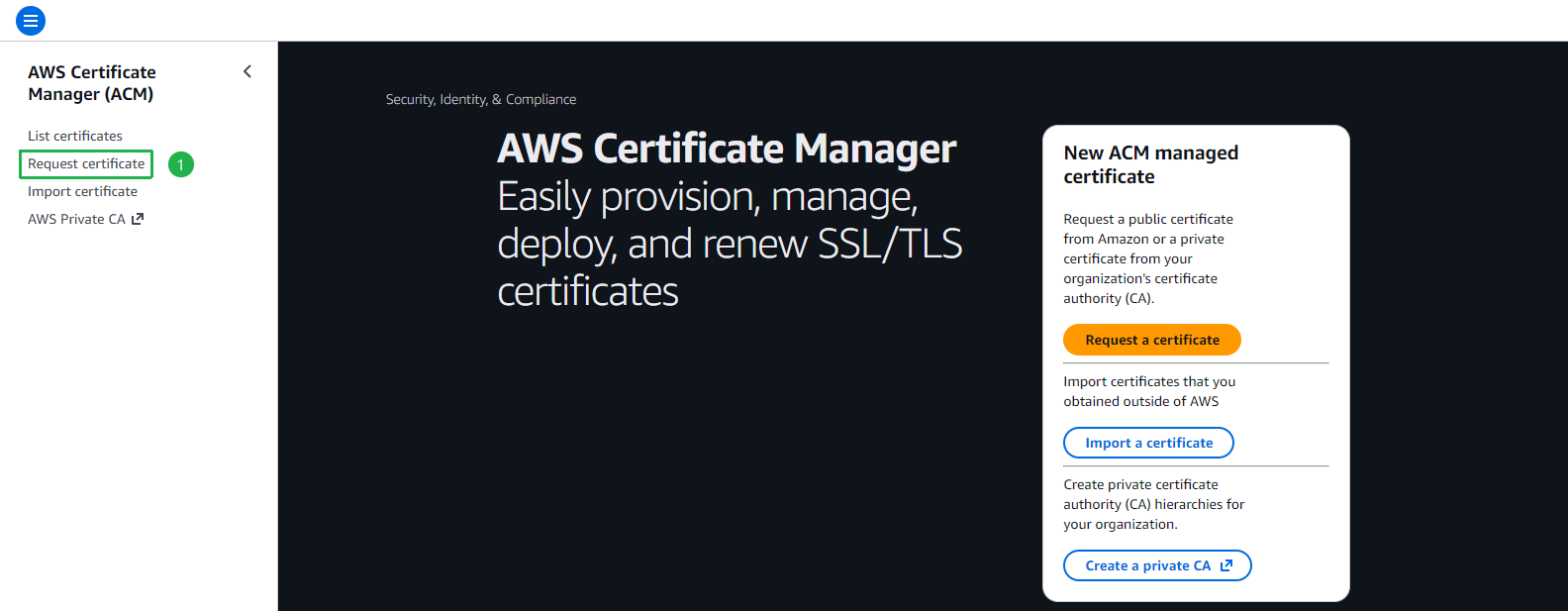
Open AWS Certificate Manager (ACM) in the us-east-1 region. Click Request certificate in the left menu.
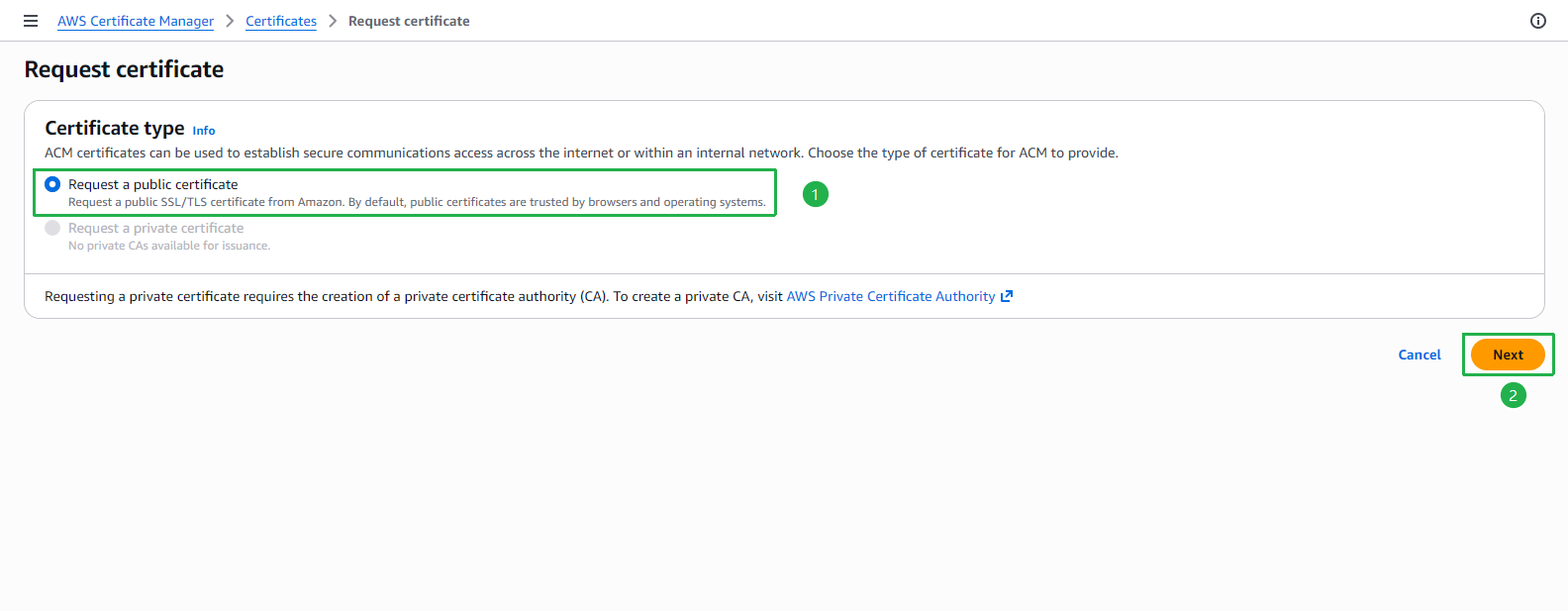
On the Request certificate page, select Request a public certificate, then click Next.
On the Request public certificate page, enter your domain names:
- In the Fully qualified domain name field, enter
*.yourdomain.com(wildcard — covers all subdomains). - Click Add another name to this certificate and enter
yourdomain.com(the root domain). - Keep DNS validation selected as the validation method.
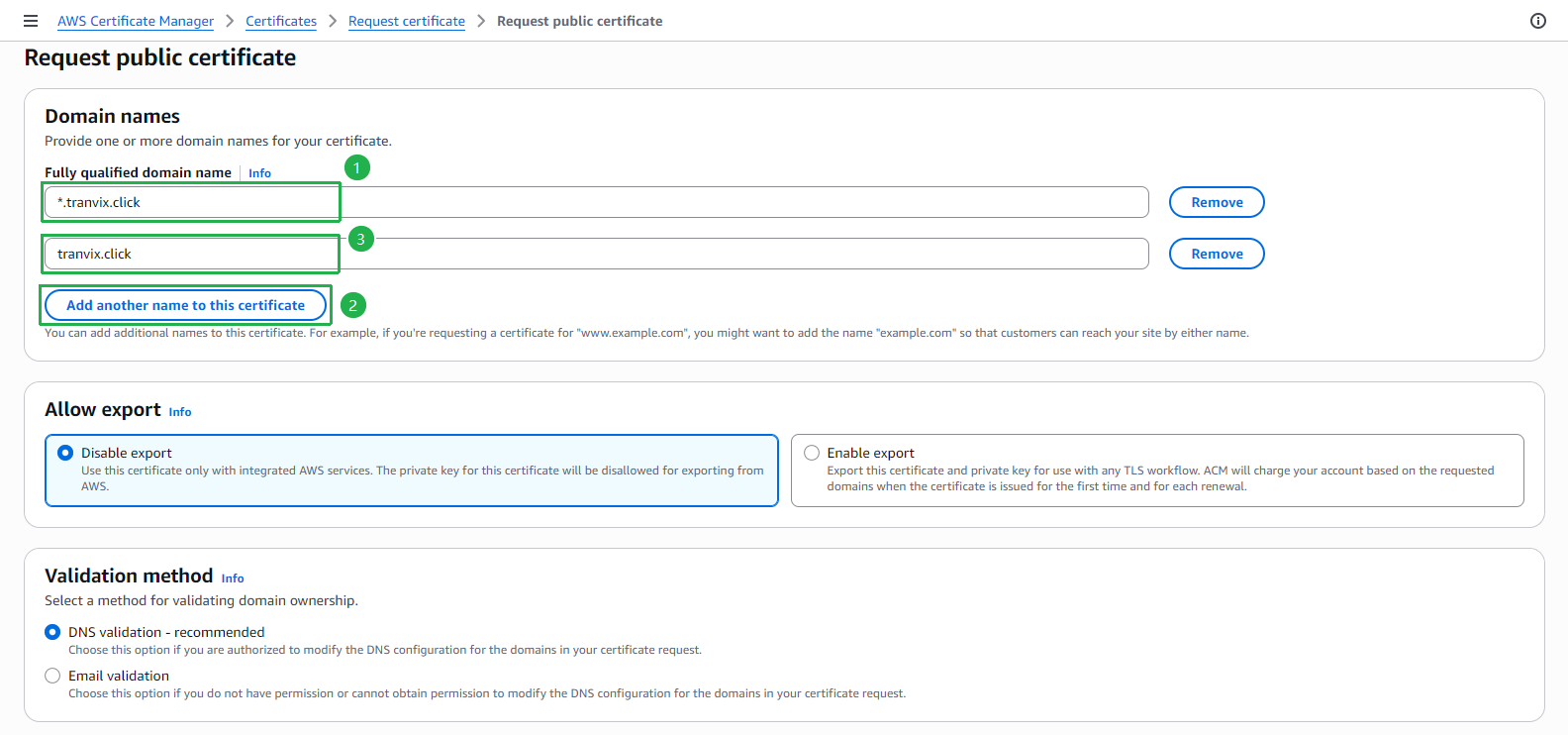
- In the Fully qualified domain name field, enter
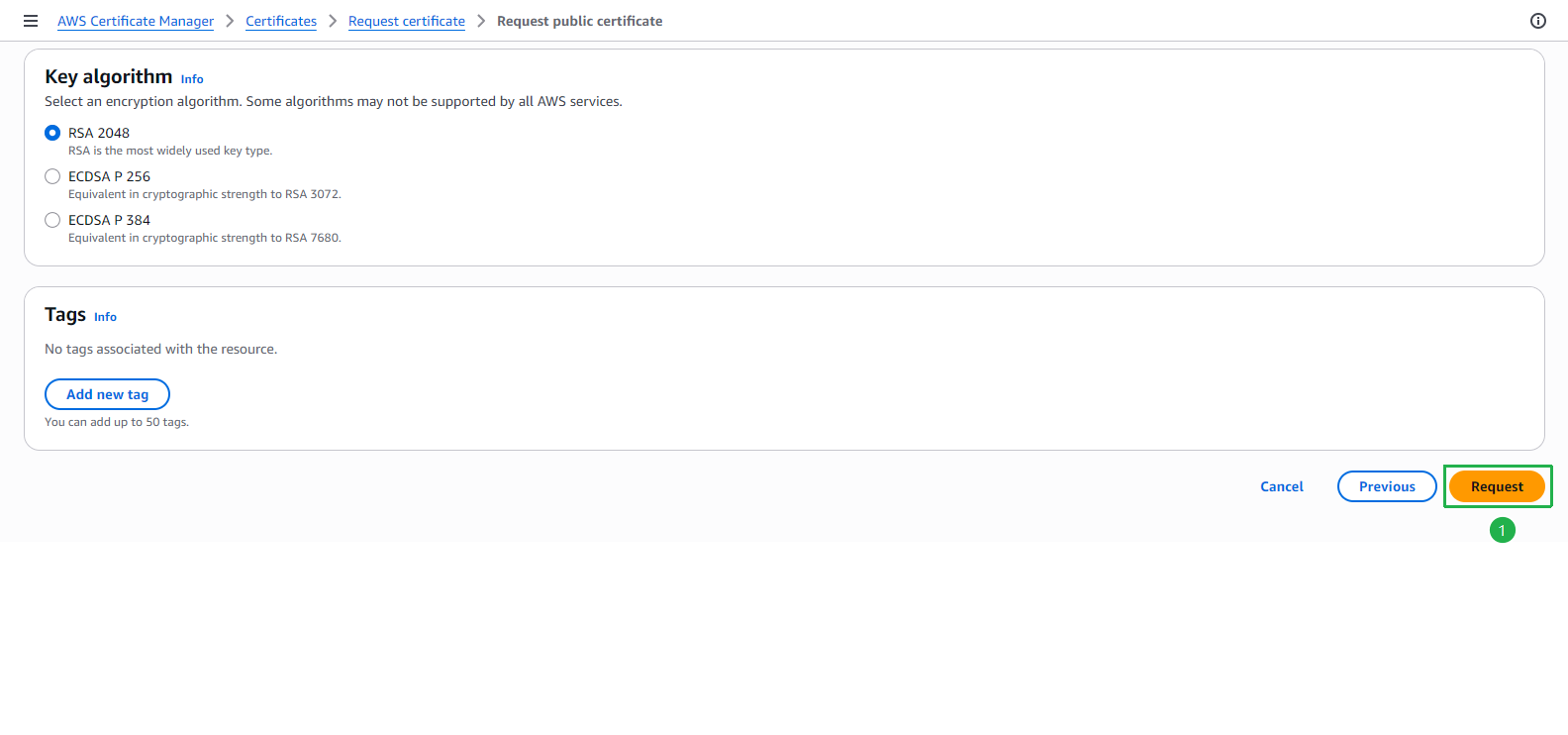
Scroll down to Key algorithm — leave it as default (RSA 2048). Click Request.
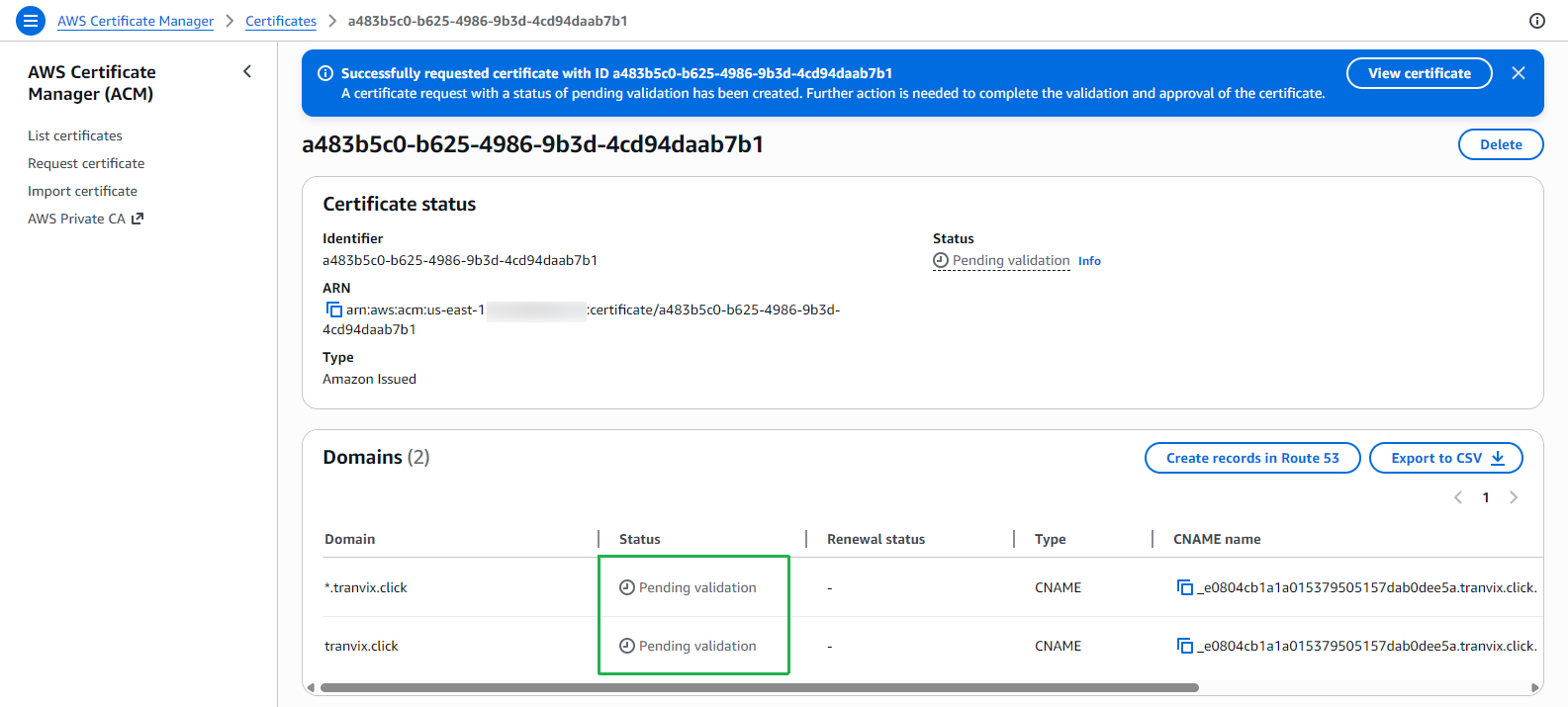
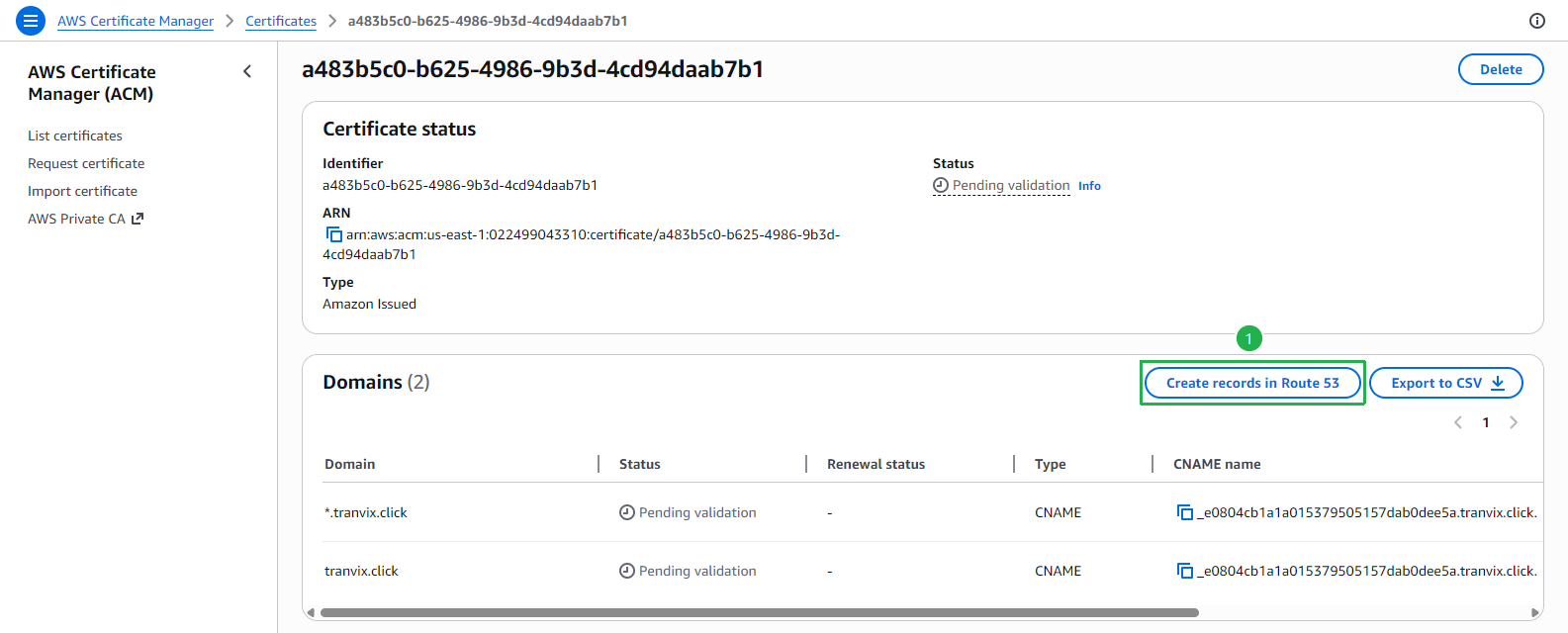
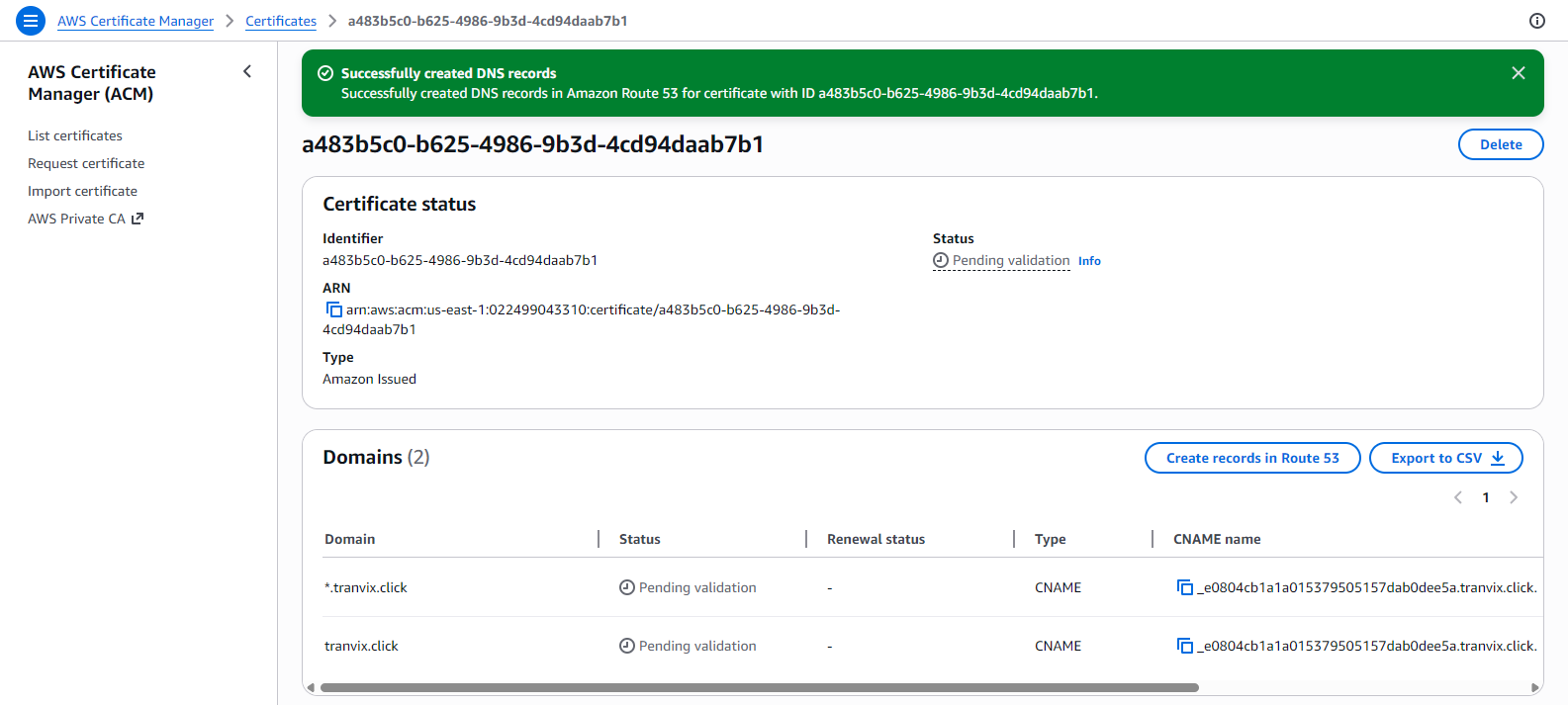
The certificate is created with Pending validation status. Both domains are awaiting DNS validation. Click Create records in Route 53 to automatically create the required CNAME validation records.
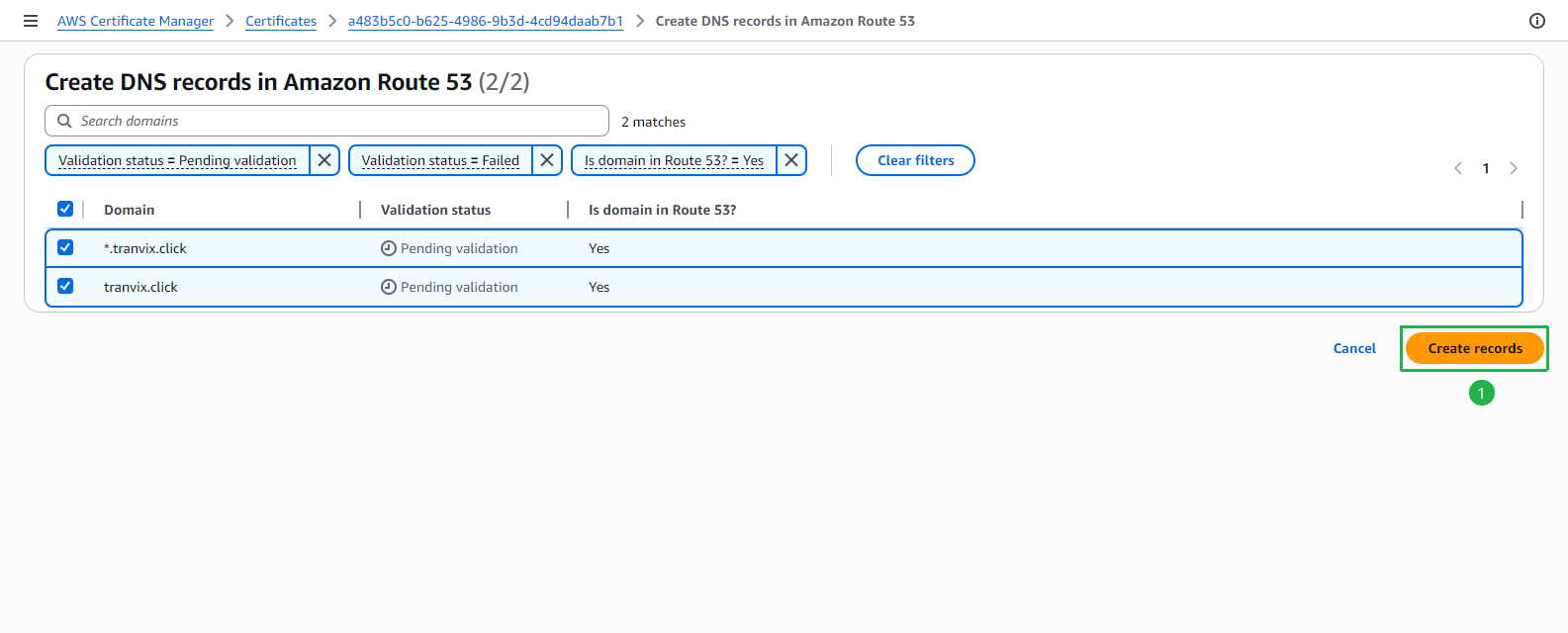
On the Create DNS records in Amazon Route 53 page, both domains are listed with Is domain in Route 53? = Yes. Click Create records.
A green banner confirms Successfully created DNS records in Route 53. The certificate status will remain Pending validation while AWS verifies domain ownership.
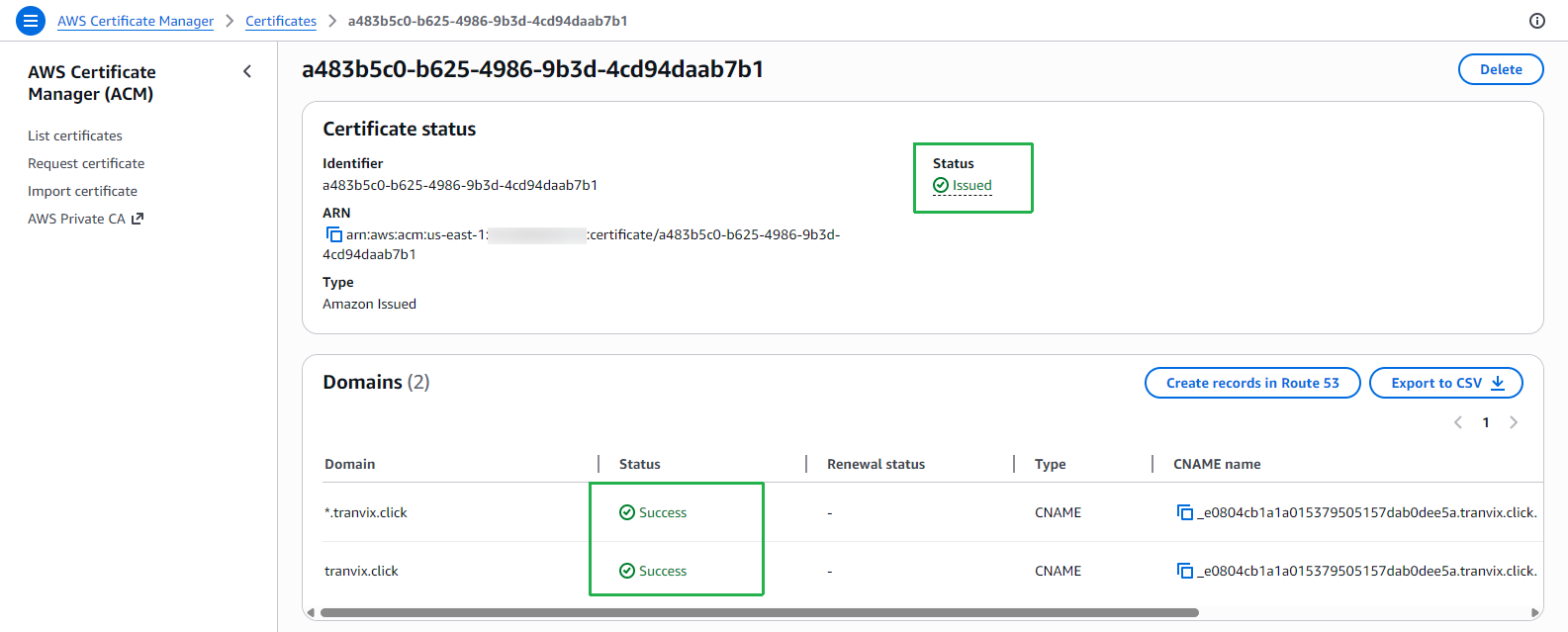
After a few minutes, refresh the page. The certificate status will change to Issued and both domain statuses will show Success.
DNS validation typically completes within 5–30 minutes. If your domain’s Name Servers were recently updated at your registrar, validation may take longer due to DNS propagation delays (up to 48 hours).
We have successfully issued an SSL certificate for our domain. In the next step, we will create a CloudFront distribution and attach this certificate to enable HTTPS.